
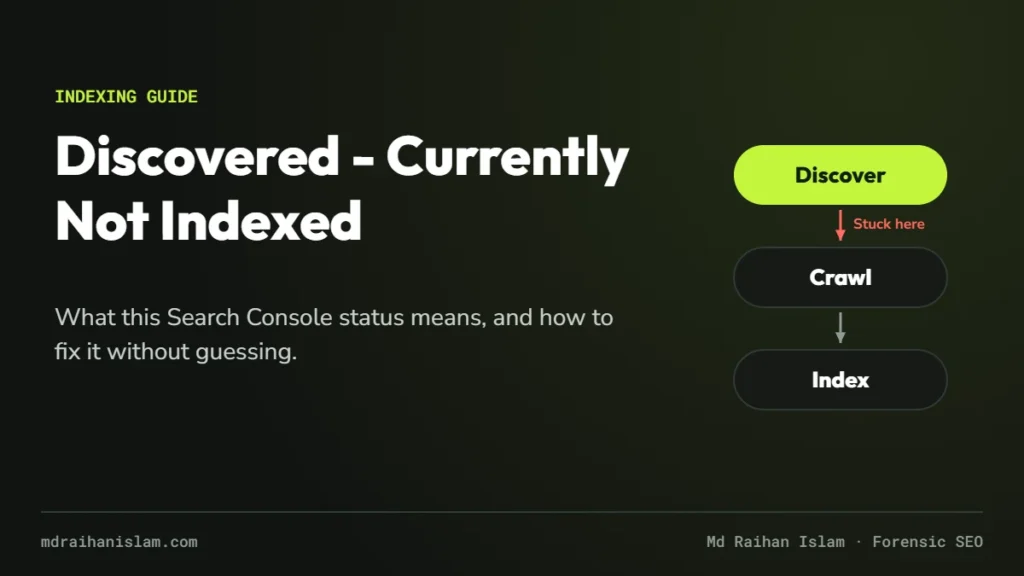
I’m writing this one from experience on my own site. My ecommerce SEO service page went live on October 16, 2026. It was in the XML sitemap and linked from the header and footer of every page. Eleven days later, Search Console still showed it as Discovered – currently not indexed. Below is exactly what that status means, how I diagnosed it, and what I changed.
For context: I have worked in SEO for more than 12 years, with 21,000+ hours and 100+ projects on Upwork as a Top Rated Plus consultant, and indexing problems are among the most common issues clients bring me.
What Google actually means
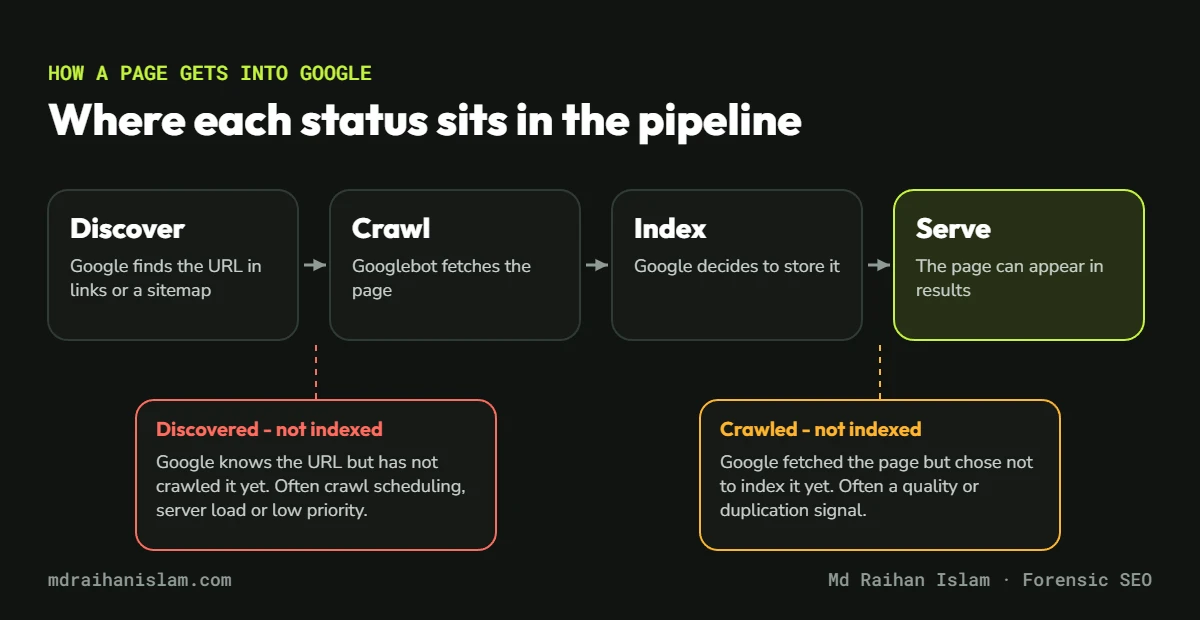
Google’s Page indexing report documentation defines the status in one sentence: “The page was found by Google, but not crawled yet.” Google found the URL, usually through a link or a sitemap, but has not fetched it. Because the page has never been crawled, Google has not judged its content at all yet.
Discovered vs crawled – currently not indexed
The two statuses sound similar but sit at different stages, so they need different fixes.
| Discovered – currently not indexed | Crawled – currently not indexed | |
|---|---|---|
| Stage | Found, not fetched yet | Fetched, not stored in the index |
| Google has seen the content? | No | Yes |
| Common causes | Crawl scheduling, server capacity, weak internal links, low priority | Quality, duplication, thin or similar content |
| First check | Server health, internal links, sitemap | Content value and uniqueness |
Even a strong page is not guaranteed a place in the index. As Google’s John Mueller put it:
“A page can be of high quality and still not be indexed – it’s not guaranteed.”
John Mueller, Google, on X, reported by Search Engine Roundtable (October 2023)
The real causes, in the order I usually find them
1. The page or site is new
New URLs join a queue. On a young domain with little history, Google crawls less often, so a page can wait days or weeks. This was the most likely cause on my own site, which was only weeks old.
2. The server is slow, overloaded or blocking Googlebot
Google’s crawl budget guide explains that when a site slows down or returns errors, “the limit goes down and Google crawls less.” Watch for anything that challenges or blocks bots. On my own site, the host’s bot protection briefly served a “Please wait while your request is being verified” page to non-JavaScript clients, including requests for robots.txt and the sitemap. Check Settings > Crawl stats for host problems.
3. Internal links are weak
A link in the menu or footer tells Google a page exists. A contextual link from a relevant, already-indexed page tells Google the page matters. New pages that only appear in navigation often wait longest.
4. Crawl waste
Parameter URLs, faceted navigation, duplicate versions and thin tag pages use up crawling that should go to your important pages. This is common on ecommerce sites with filters and variants.
5. Sitewide quality signals
If Google has doubts about a site overall, it crawls and indexes less of it. In a 2026 episode of Google’s Search Off the Record podcast, John Mueller described what happens when Google’s systems are seriously worried about a site’s quality:
“So we’ll probably crawl a lot less, we’ll index a lot less.”
John Mueller, Google, Search Off the Record, reported by Search Engine Roundtable (July 2026)
If many URLs are stuck, step back and assess the whole site, not just one page. Google’s guidance on helpful, reliable content is the right starting point.
6. A noisy sitemap
Sitemaps full of redirects, 404s, noindex pages or duplicates make the whole file less trustworthy. Keep only canonical, indexable URLs that return a 200 status.
How to fix it, step by step
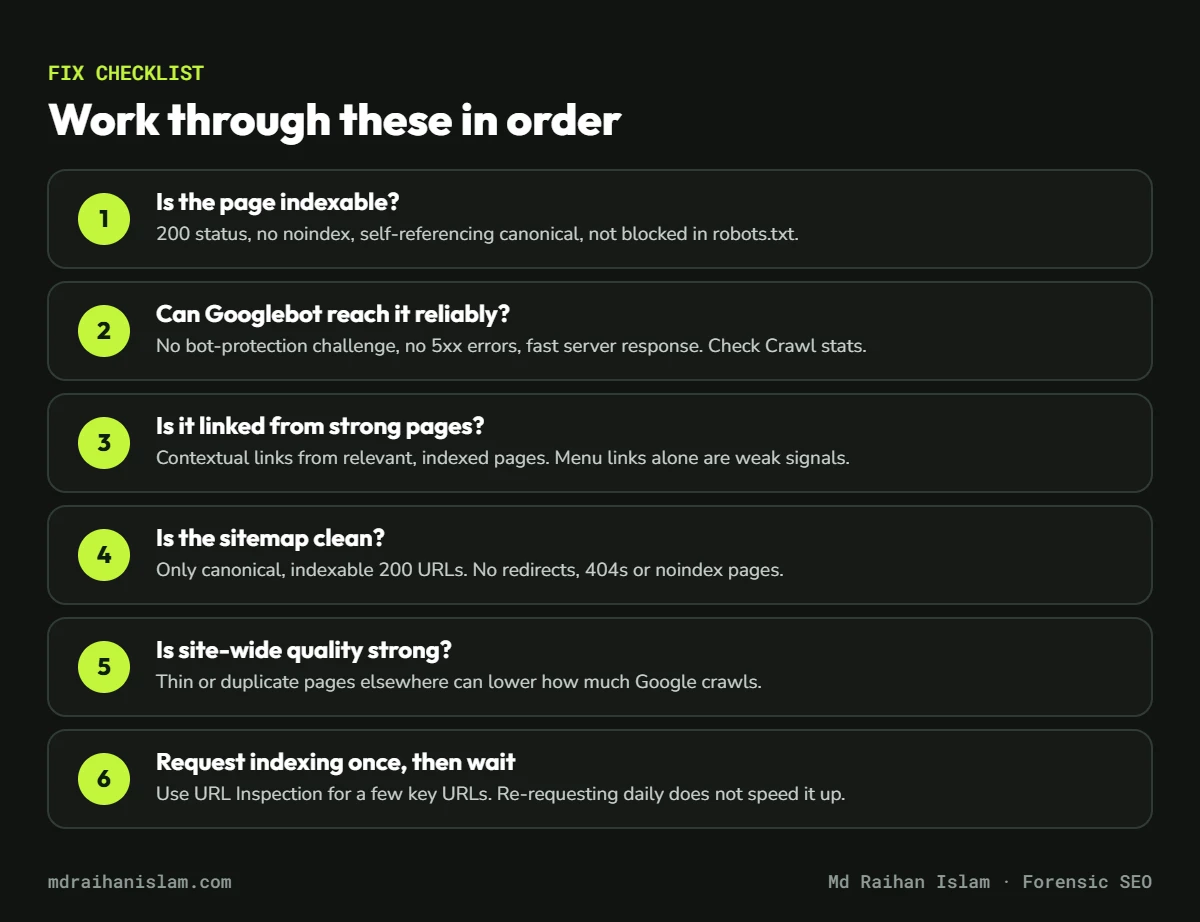
- Confirm the page is indexable. It should return a 200 status, have no
noindex, use a self-referencing canonical and not be blocked in robots.txt. - Run a live test. In the URL Inspection tool, choose Test Live URL and check the screenshot and HTML. If you see a challenge page or an error, fix that first.
- Check server health. Review Crawl stats for host issues, and keep response times fast.
- Add contextual internal links. Link to the page from two or three relevant pages that are already indexed, using descriptive anchor text.
- Clean your sitemap. Remove anything that redirects, 404s or carries
noindex. - Request indexing once, then wait. Requesting again every day does not speed things up.
Raihan’s tip
Run the live test first
Before you change anything, open URL Inspection and click Test Live URL. If the screenshot shows your real page, Google can reach it, and your problem is priority, not access. If it shows an error, a login screen or a “please wait” page, fix that first. Nothing else will help until Googlebot can fetch the page.
What I did on my own site
For my ecommerce SEO page, every technical check passed: 200 status, indexable, correct canonical, listed in the sitemap, and roughly 2,150 words of original content. The live test showed the real page. So I strengthened the signals that were weak: I added a contextual link from my Shopify case study, where the reader has just seen ecommerce results, and another from the introduction of my case study hub. Then I requested indexing once. At the time of writing, I am watching the result, and I will update this post when it changes.
What not to do
- Don’t request indexing over and over. It does not move you up the queue.
- Don’t use the Indexing API or “instant indexing” plugins for normal pages. Google’s Indexing API documentation limits it to job posting and livestream pages.
- Don’t delete the page and republish it under a new URL. You only reset the clock.
- Don’t resubmit the same sitemap daily. Resubmit when it actually changes.
When it is a bigger problem
One or two new URLs in this status is normal. Hundreds or thousands of URLs, or a status that persists for months, usually means a crawl budget, architecture or sitewide quality problem. That calls for a proper investigation: server logs, crawl data and Search Console together. You can read how I approach that in what forensic SEO is, or see my technical SEO consulting work for indexing and crawl issues.
If this status appeared alongside a fall in clicks, work through my checklist for a website traffic drop as well.
Pages stuck outside Google’s index?
A forensic SEO audit uses your server logs and Search Console data to show exactly why Google is not crawling or indexing your important pages, and what to fix first.
FAQ
How long does Discovered – currently not indexed last?
For a new page on a healthy site, often a few days to a few weeks. If it lasts longer, look for server problems, weak internal links, crawl waste or sitewide quality issues.
Should I resubmit my sitemap?
Only when the sitemap changes. Resubmitting the same file does not force Google to crawl faster.
Does requesting indexing guarantee the page will be indexed?
No. It asks Google to crawl the URL. Google still decides whether to index it.
Is Discovered – currently not indexed a penalty?
No. It is a crawl scheduling status, not a manual action. Penalties appear in the Manual Actions report.
Can too many pages cause this status?
Yes. Google’s crawl budget guide specifically mentions sites with many URLs reported as Discovered – currently not indexed. Reducing duplicate and low-value URLs helps Google focus on the pages that matter.